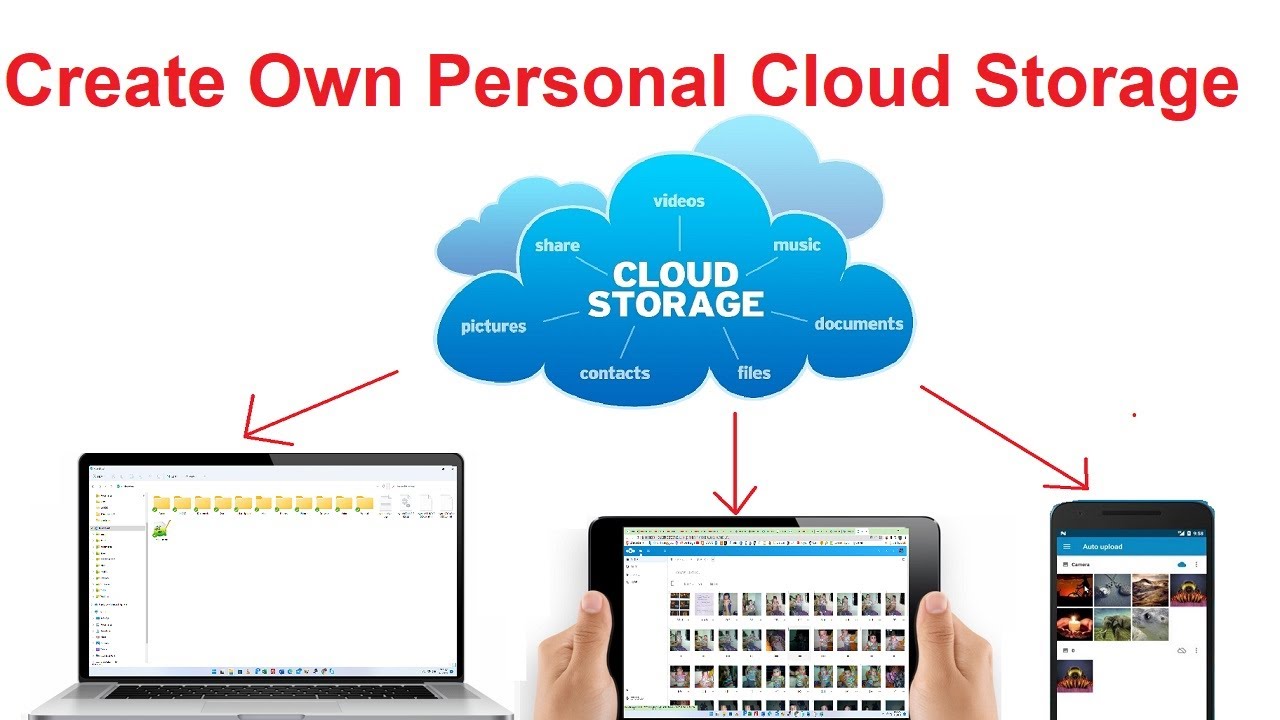
How many devices do you have? Cellphone, tablet, laptop, camera, desktop computer? How many photos do you have on that cellphone and camera? The average person takes around 2,000 photos a year. Ask google lol I did. Now, each photo is about 24MB in size, because our cellphone cameras are crazy good! That is about 200GB of data. Do you have an Android cellphone? Signed up for Gmail right? They give you 15GB of free online storage. After that, you have to upgrade and pay a monthly subscription fee to continue to have all your precious photos uploaded to the cloud so you don’t lose them right? Ok, now that is just YOU, what about your spouse? Your child? Your kids? An average family of 4, each with their own accounts, at an average of $10 per month per account, now you’re spending $40 a month just to backup your photos. We could go on and add something like Dropbox or Google Drive or Microsoft One Drive for all those documents, files, powerpoints, spreadsheets, etc that you need from your home computer to your work computer or whatever right? But using the example of your photos is enough to blow your mind.
So why am I talking about this? Because I’m in the same situation as you are!! We are paying a sick amount of money every month for the “Cloud” to back up our photos and files and such. Well, I’m here to tell you, that you don’t have to anymore! What if I told you that you can buy your own personal “Cloud” for around $300. Thats it! No more monthly fees, no more subscriptions. All your data, from all your devices, in one place. Your Home!
Break that down and let it sink in for a minute. $40/month, on average for a family of 4 X 12 months is $480/year. Every year, forever! I got a 2-bay NAS with two 6TB harddrives for a little over $300. $480/year vs $300 one-time purchase. Yep!
Oh but Sam, I don’t know how to do that. I wouldn’t even know where to start. Neither did I. I took an old computer and googled it. Ran like a champ. But who has old desktops lying around, well we probably all do but that is a very technical quest to take on, and why should you when companies build these, sell these, and have video after video explaining exactly what you need to do! So buying (vs building) is what I’m going to talk about here.
Don’t be scared. It’s actually easier than you think. So a few weeks ago I went shopping around for a Home Cloud Server. Originally I was just going to do a Network Additional Storage server (NAS) and just have my devices routinely backup to it nightly when we were sleeping. But a lot of them also double as your own personal Home Cloud Server. Not only do they have stupid simple video instructions on how to set them up but a lot of them actually give you the app for auto-sync backups.
Terra Master F2-210 costs around $160
6TB harddrives I just bought from Amazon and they (at that time) were $38 each. $76 for two of them.
I bought two so I can run them in what’s called a Mirroring Array. Its redundancy. If harddrive A fails, my system is still fully functional, accessible, and functioning like normal. You get a message that your harddrive has failed. You buy a new harddrive, the same size, take out the old one, slide in the new one, and follow the prompts on the screen to rebuild your array. Simply put, copy all the data from harddrive 2 back onto harddrive 1 so they are in sync with each other. (it happened to me on day 3 so I have already been through this lol)
I know I said “follow the prompts” which might make you think you need a monitor, keyboard, mouse……NO, this is not a computer like your thinking. It’s the size of a shoebox. You give it power and an ethernet cord. Thats it. All the configuring is done from your laptop/desktop computer.
We won’t get too technical right now about all the ins and outs of setting this up. Let’s skip to the end. My phone, my wife’s phone, our tablets, our laptops, and our desktop computers all now sync (or backup) all of our pictures, documents, spreadsheets, etc, etc —–> to our Cloud Server. At home, it is over our wifi. At work, it is over the internet. I took maybe 2 hours and logged into all of our online backup accounts, downloaded the files, canceled the subscriptions, and deleted the accounts. Everything now backs up to our own Personal Home Cloud Server. The best part is this, you will never even notice it when you come over. It’s tucked away and hidden. Out of sight, out of mind. I can check on it anywhere at any time from any device. It’s absolutely brilliant.